


DEF.Intelligence Your pentest — visible in real time.
DEF.Intelligence is the platform behind every engagement, and its centrepiece is the def.Portal. You don't wait weeks for a PDF – you see every finding the moment we discover it. Rate, comment, trigger a re-test — all while the test is still running.

DEF.Intelligence in two minutes.
How a classic pentest goes – and why we do it differently: portal access, real-time findings, consciously accepting risk, certificate and report, automatic deletion.
All about the platform- What it isThe platform through which every one of our engagements runs. You watch your test live instead of as a black box.
- What it changesCritical gaps no longer stay open for days although they were found long ago. You react while we are still testing.
- What it costsNothing extra. DEF.Intelligence is included in every engagement and is not billed separately.
A pentest shouldn't be weeks of guesswork.
The usual process is a black box: commission sent, then radio silence, at some point a PDF arrives. In the meantime critical gaps stay open for days even though they were found long ago. And a re-test turns into an email odyssey. That is exactly what we didn't want any more.
Classic pentest
This is how it goes with most providers.
- –Weeks of radio silence until the final report
- –Critical findings only visible in the final PDF
- –Evidence bundled at the end and hard to follow
- –Re-tests and questions only by email
With DEF.Intelligence
This is how it goes on every one of our engagements.
- ✓Every finding appears live in the def.Portal
- ✓See critical issues immediately — and react immediately
- ✓Photo evidence, video and scan attached directly to the finding
- ✓Re-test at the push of a button, status visible at any time
Discovered, visible, fixed, verified.
In the def.Portal a finding is not a dead entry in a PDF but a process you help steer yourself — from discovery to the moment the fix is confirmed.
Discovered
We log every vulnerability immediately, with a CVSS severity and evidence attached — photo, video or scan. Nothing goes into a list that only gets evaluated at the end of the project.
Visible live
You see the finding at the same moment. Prioritise, pass it on internally, react — all while the test is still running. For critical findings we also call you.
Fixed & commented
You ask questions directly on the finding, not in an email thread that nobody can trace later. As soon as something is fixed, you simply mark it.
Re-test confirmed
One click is all it takes for the re-test. We check the fix and set the new status in the portal. Only then is a finding considered closed.
The raw data in the field comes from a few compact, secured sensors. They are only a means to an end — the real work happens where everything comes together: in the def.Portal.
Findings appear live — not only in the report.
This is what a running mission looks like: timestamp, finding, severity and the corresponding evidence. The server room at 14:02, the cloned badge at 14:05 — you don't have to wait for the end to lock the door.
Schematic illustration with fictitious findings. The real views are further down.
What the def.Portal really looks like.
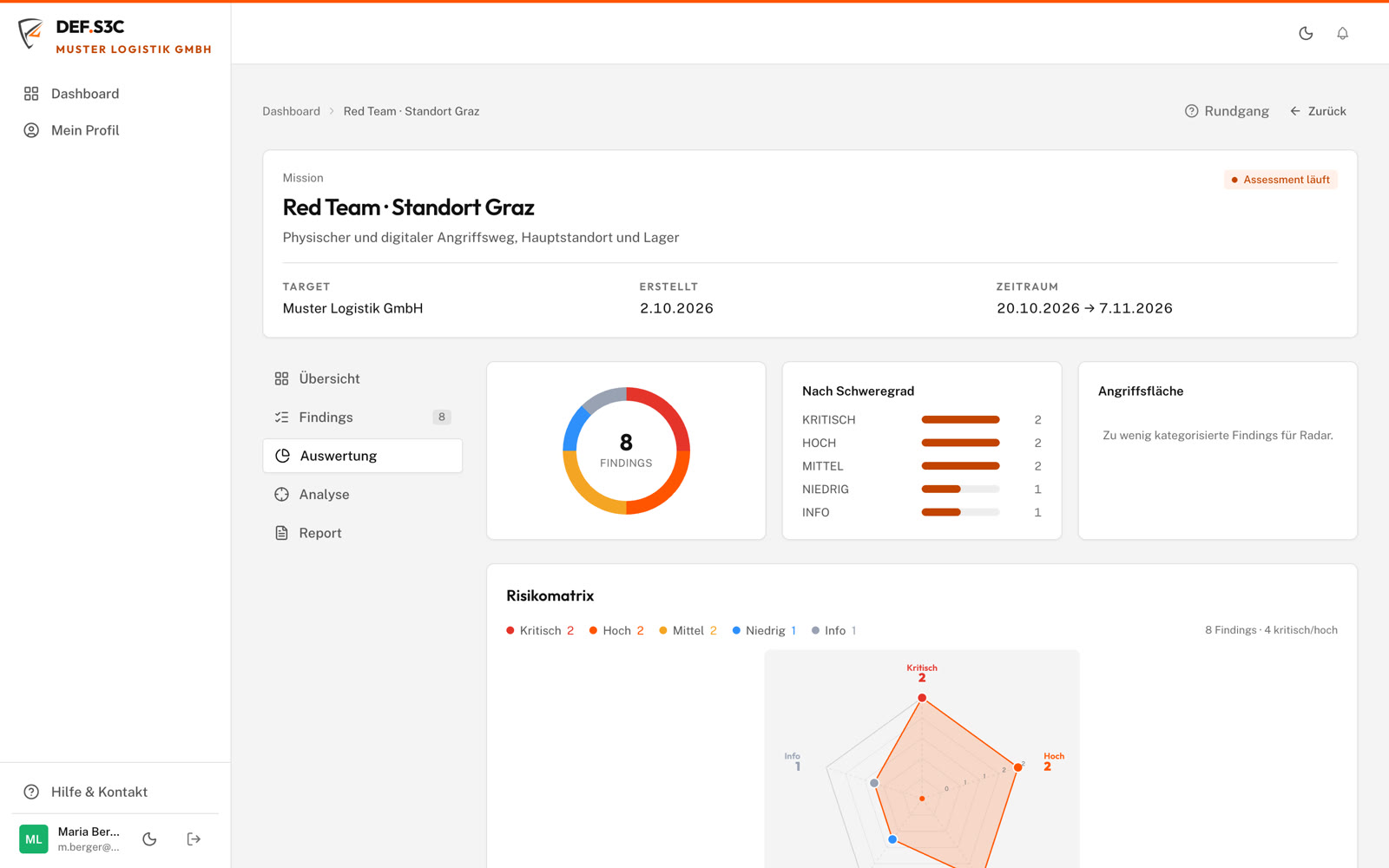
No product animation and no mock-up: these are screen recordings from the live platform, on desktop and on mobile. They show a demo engagement with a fictitious company and fictitious findings — real client data never leaves the portal.
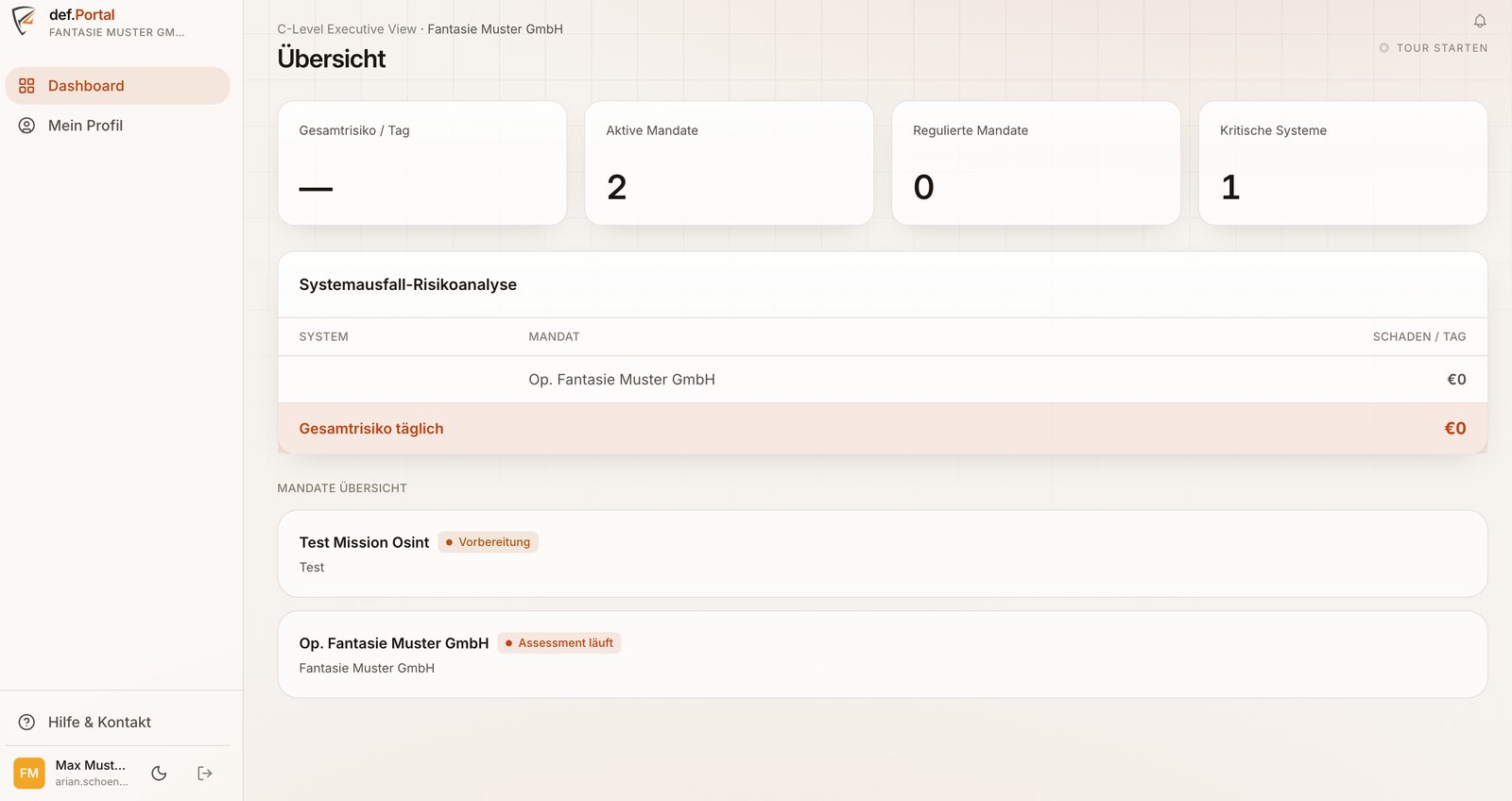
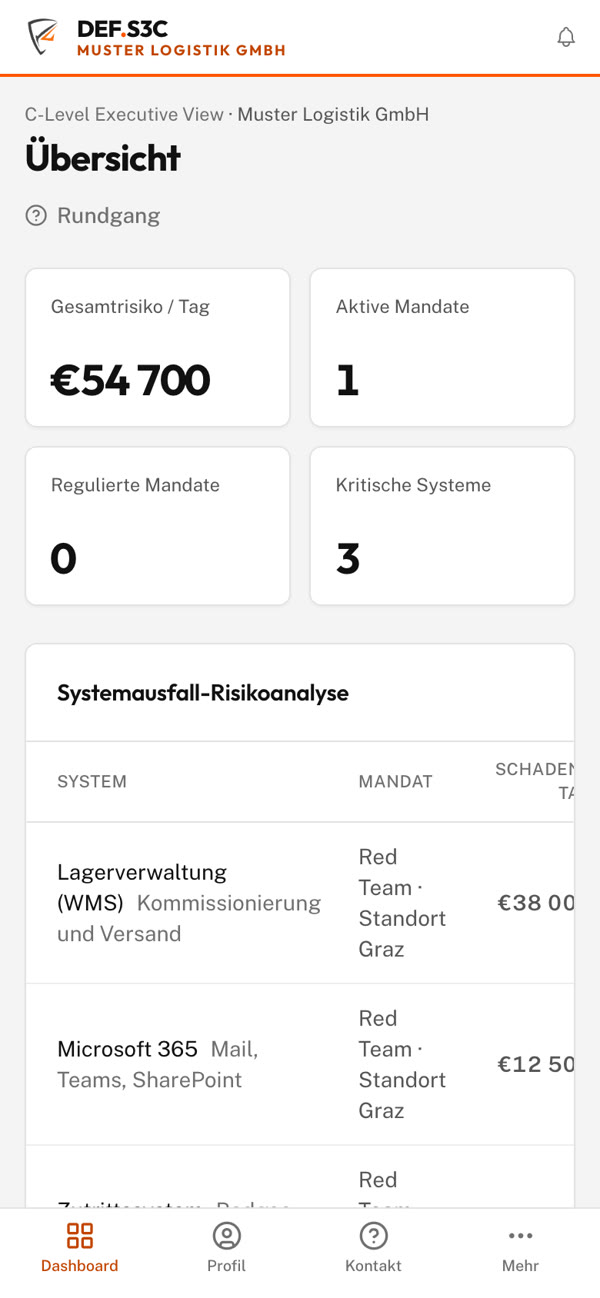
Dashboard: all engagements at a glance
The start page summarises what matters to management: how many tests are currently running, how many of them are subject to regulation and how many critical systems are affected. The system outage risk analysis converts this into an amount per day — what it costs when an affected system is down.
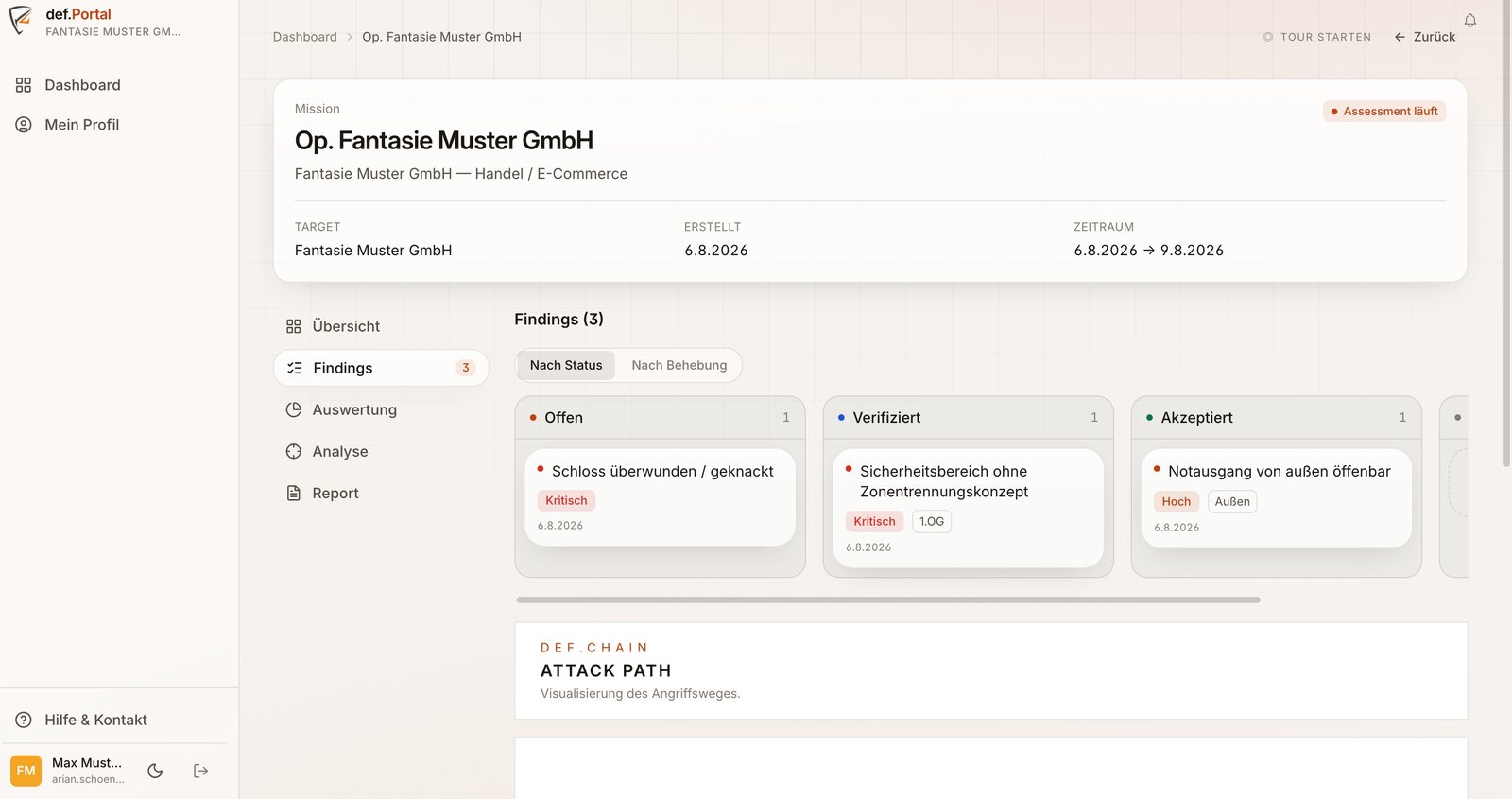
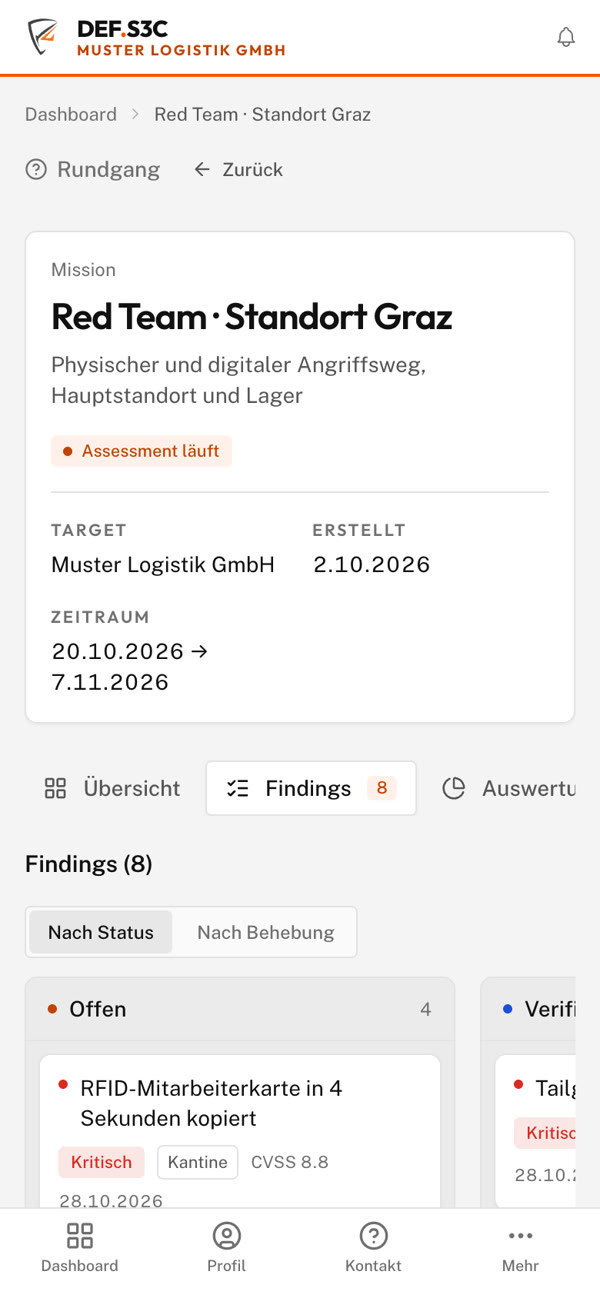
Findings board instead of a list of findings
The findings are arranged in columns — either by processing status (open, verified, accepted) or by remediation progress. Each card shows severity, CVSS score and, for physical tests, the location, such as "Ground floor · Ramp 2". Below it, def.CHAIN shows the attack path as a chain, not as a list.
Analysis for decision-makers
The analysis shows the distribution by severity, the attack surface and a risk matrix of likelihood and impact. This makes it possible to clarify in a meeting what gets fixed first — without anyone having to read the technical part.
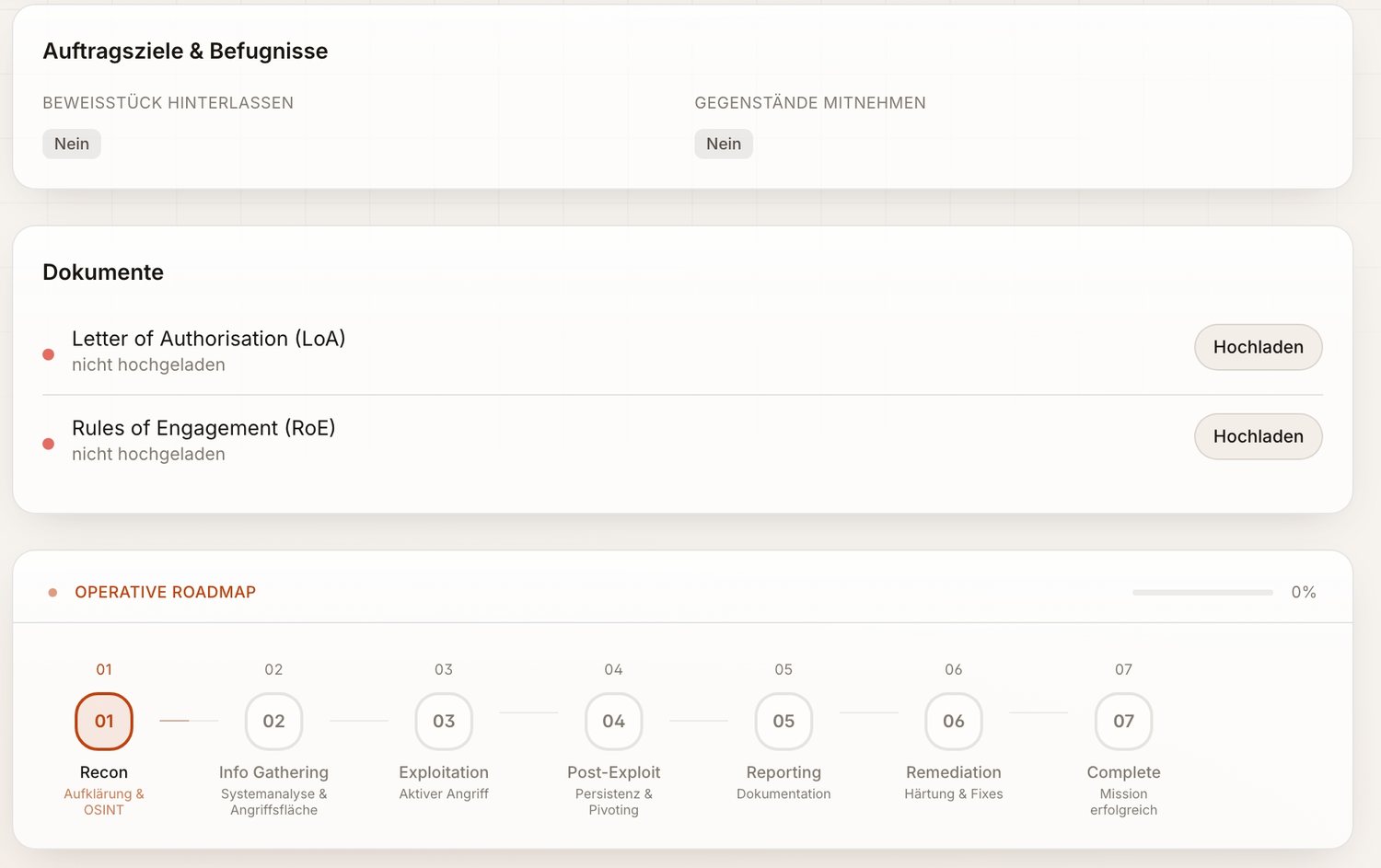
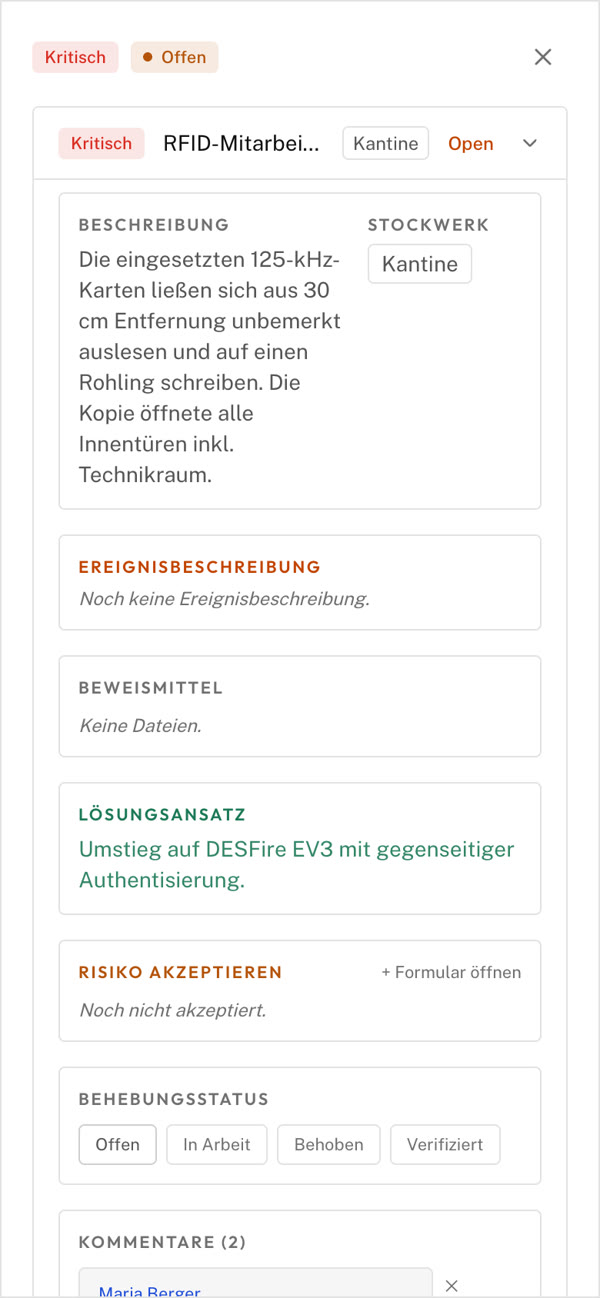
Engagement framework, roadmap and every finding in detail
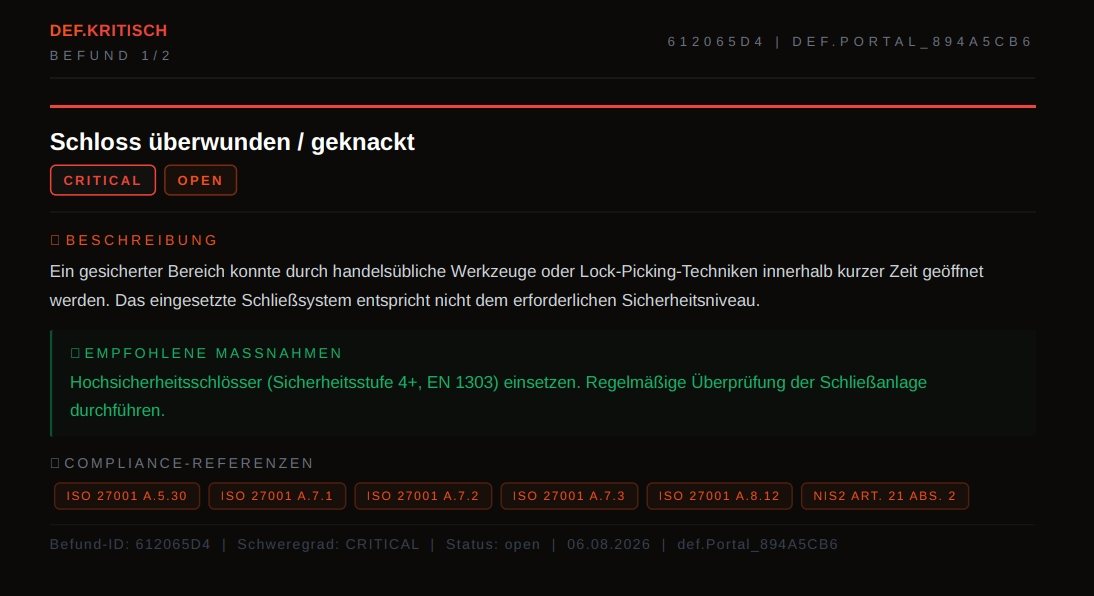
The Letter of Authorisation and Rules of Engagement are stored as documents in the portal. The operational roadmap shows in seven steps where the test stands. Behind every finding are a description, evidence, a concrete solution with reference to standards, the mapping to ISO 27001 and NIS2, and the remediation status from "Open" to "Verified".
Note on these recordings: The engagement shown, "Muster Logistik GmbH", is a demo data set. Company, people, findings, periods and figures are fictitious. We don't publish recordings from real engagements — they are subject to the confidentiality of the Rules of Engagement.
In the end there is still a report — just a better one.
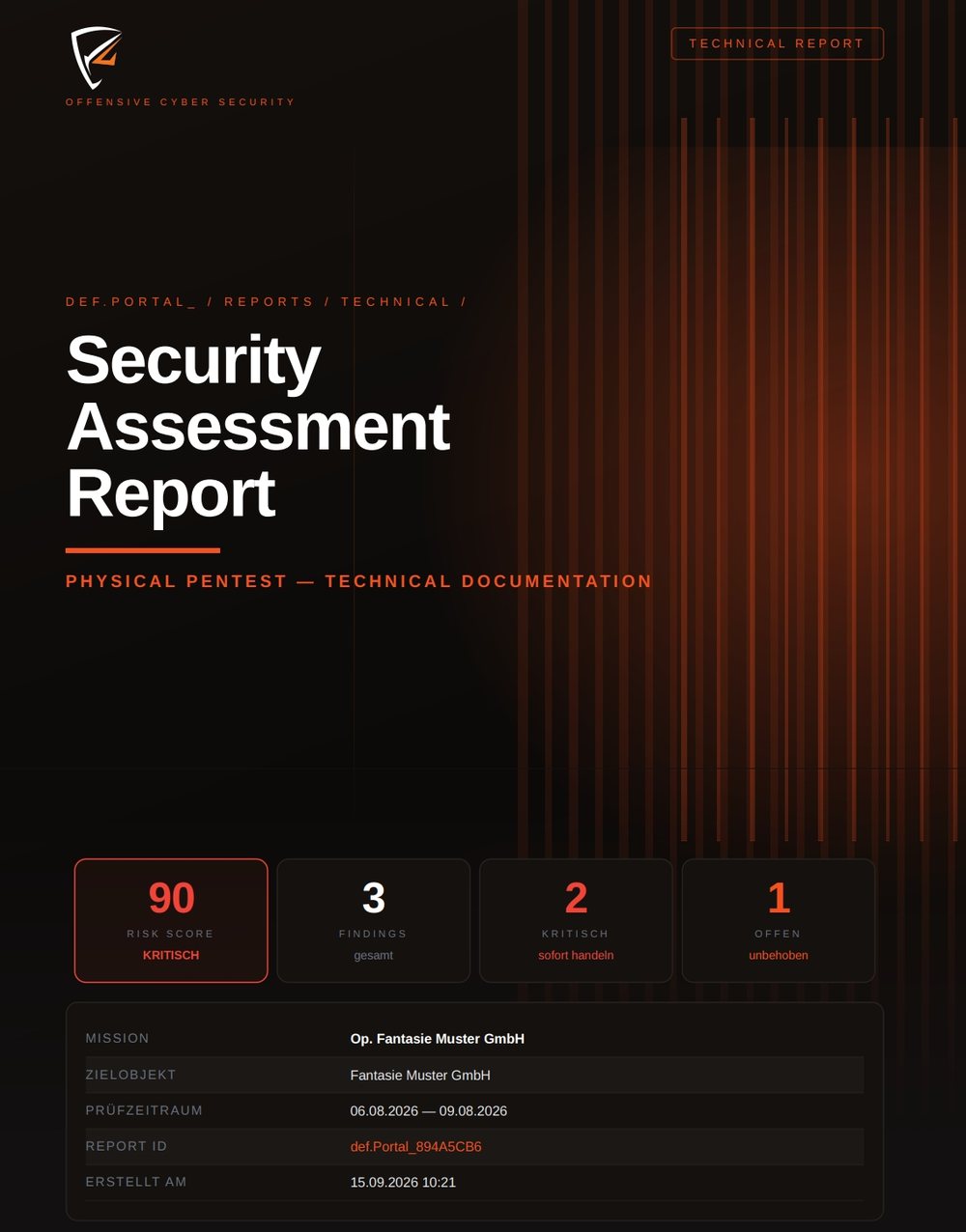
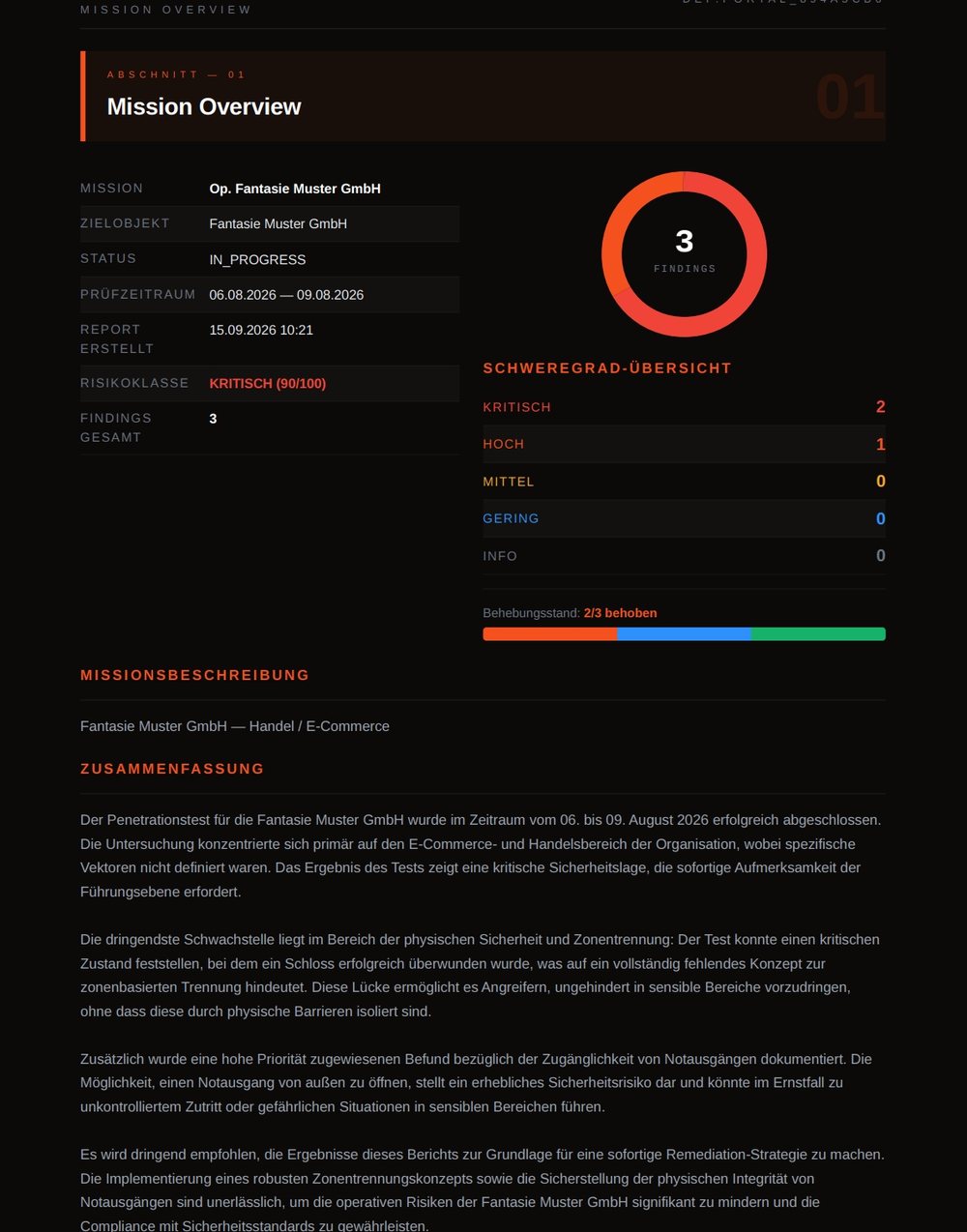
The live view doesn't replace the final report, it feeds it. What you saw in the portal during the test ends up in a signed PDF: for management, auditors, insurers or your records.
Because a security platform has to be secure itself.
A platform that collects vulnerabilities is itself a worthwhile target. That is why the same standards apply here that we test at your organisation.
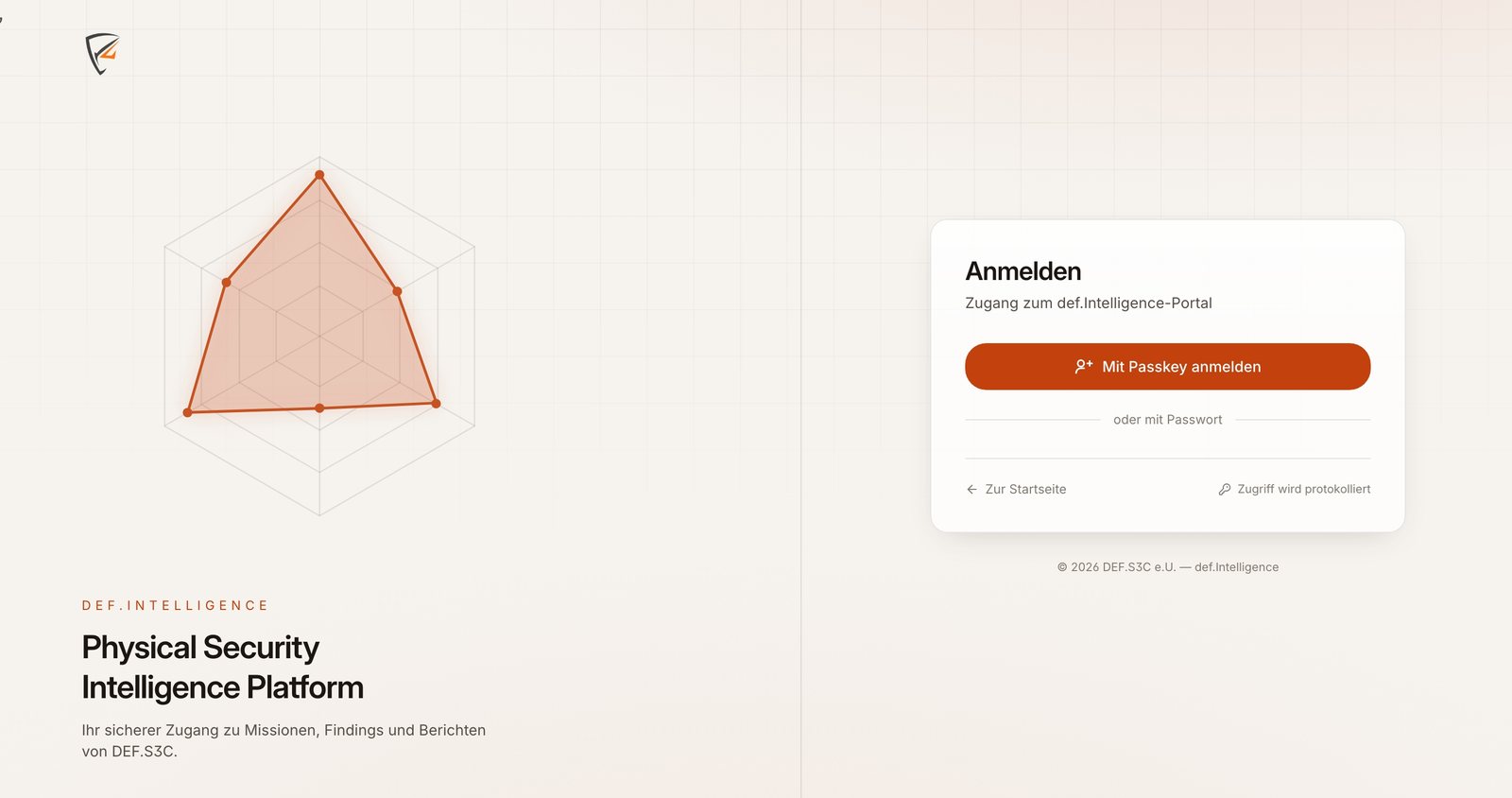
Passkey login
Access is via a passkey — bound to your device and unlocked with fingerprint, face or device PIN. A passkey cannot be phished and cannot be stolen from a database because the secret never leaves the device. Where that is not possible, password login remains as a fallback.
Data stays in the EU
Servers in Germany. Your data doesn't leave the EU, and there is no US cloud provider behind it.
Encrypted & logged
All results are stored encrypted, every action lands in a GDPR-compliant audit log — traceable who saw what and when. The fact that every access is logged is stated on the login page, not in the small print.
Deleted after completion
As little data as possible: findings and evidence are completely deleted after the project ends. On request you receive an encrypted archive beforehand.
What this gives you in your hands towards third parties.
A test is rarely done just for yourself. Usually someone wants to see it: an auditor, an insurer, a supervisory authority, a major customer in a supplier audit. The portal is built so that you can provide this evidence without having to piece it together afterwards.
Every finding mapped to standards
In the portal, findings are mapped to the controls they affect — ISO 27001 and, where relevant, NIS2. You don't have to create the mapping yourself afterwards when an auditor asks for it.
Remediation as a process, not a claim
A finding moves from "Open" through "In progress" and "Fixed" to "Verified". We set "Verified", not you — so at the end it is documented that the fix was checked and not merely reported.
Accepted risk is documented
Not every gap can be closed proportionately. If you consciously accept a risk, you record this via a form in the portal — with justification and timestamp. That carries more weight than a sentence in meeting minutes.
Attack path instead of individual findings
def.CHAIN shows how findings are connected. Three medium weaknesses that, strung together, lead into the server room are critical together — in an alphabetical list of defects you can't see that.
What people ask before their first login.
Only you. Access is granted individually, not across an entire domain, and there is no self-registration. All findings are stored encrypted in the def.Portal, every access is recorded in the audit log, and whoever is logged in sees only their own engagements.
No. DEF.Intelligence is included in every engagement at no extra cost. There is no licence or usage fee and no pricing by number of users.
Findings and evidence are deleted completely. If you want to keep the documents for audits, insurance or your records, we hand over an encrypted archive beforehand.
Yes. In addition to the live view you receive a signed final report as a PDF: a cover page with risk score and risk class, a summary in full sentences for management and a technical part in which every finding is listed individually with measure and compliance reference. Every report has its own report ID.
With a passkey that you set up on your device the first time you log in — unlocked with fingerprint, face or device PIN. A passkey cannot be phished because the secret never leaves the device. Where a passkey isn't an option, password login remains as a fallback. Every access is logged.
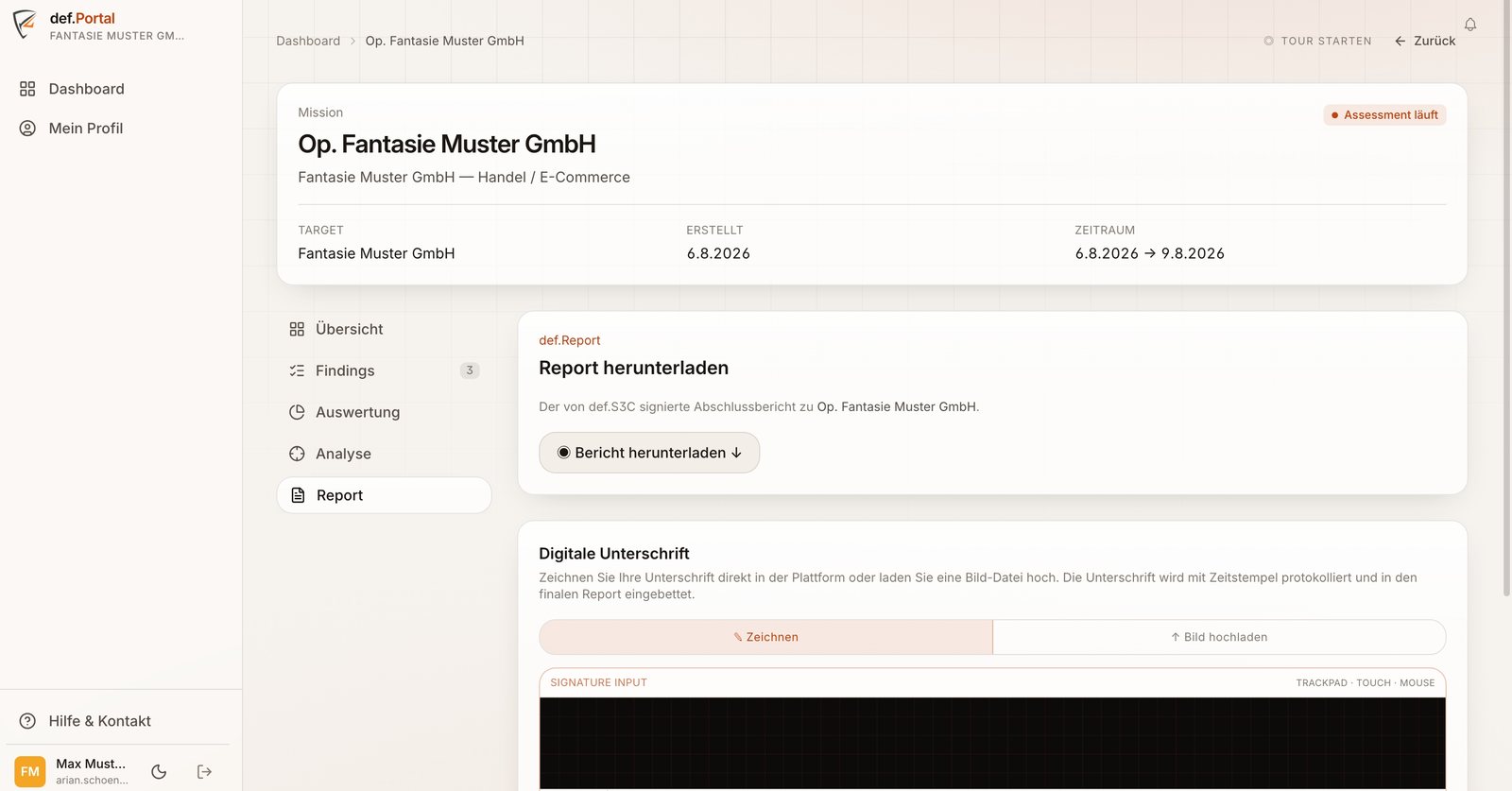
No. You sign directly in the portal — drawn with mouse, trackpad or finger, or as an uploaded image file. The signature is logged with a timestamp and embedded in the final report.
That is provided for. Not every gap can be closed proportionately. You record the decision via a form on the finding — with justification and timestamp. The finding doesn't disappear; it visibly changes to the status "accepted". Towards an auditor this carries more weight than a verbal agreement.
Yes. If you have several engagements running, the dashboard combines them: active tests, affected critical systems and a risk estimate per day across all engagements. You don't have to flick back and forth between reports to get an overall picture.
You mark a finding as fixed and trigger the re-test with one click. We check and set the status. Only when that is confirmed is the finding considered closed.
No. You reach the portal through your browser. In the field we work with a few compact, secured sensors — but they remain our tools and nothing that is permanently installed at your premises.
Know where you stand – before someone else finds out.
30 minutes, free and without obligation. You tell us what it is about, we tell you honestly whether we are the right fit and roughly what it costs.
What we encounter in assessments, before you encounter it.
Not a product newsletter. We write about attack paths that actually worked against Austrian businesses, authorities and schools – and what helps against them.
- About once a month, not every week
- Concrete attack paths from real assessments
- No tracking pixel, no sharing with advertisers
- Unsubscribe with one click in every email